Prepare
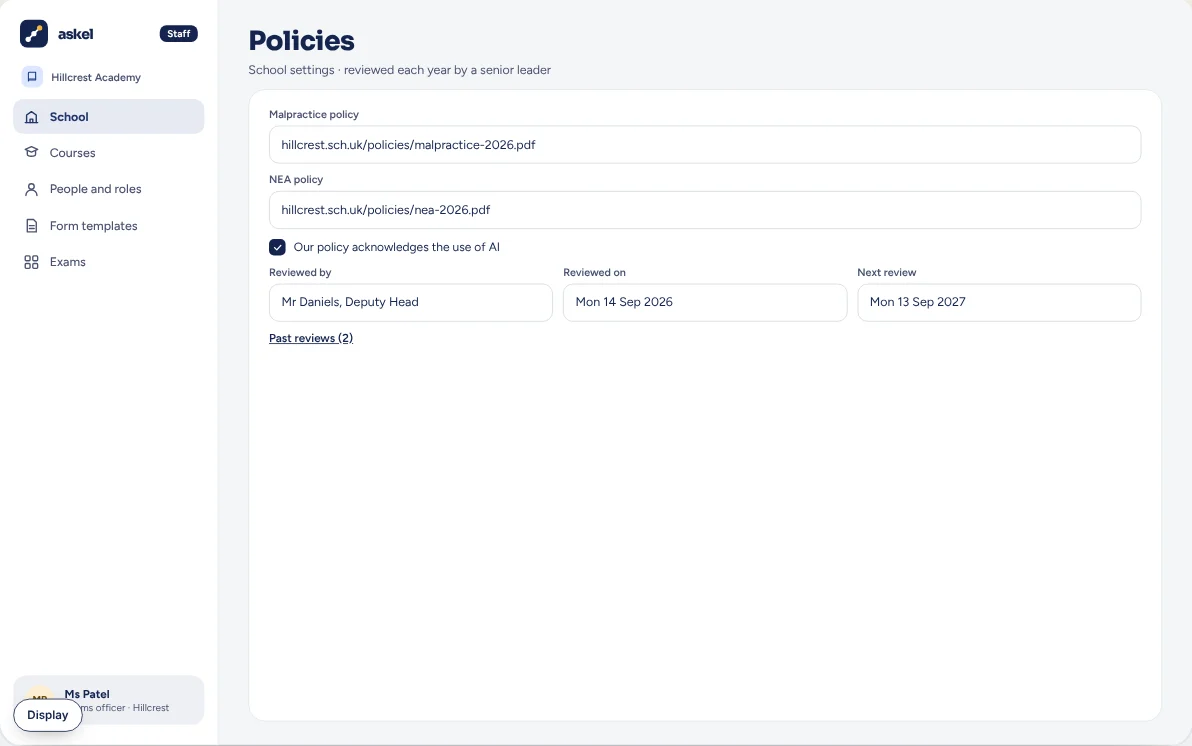
When your AI policy was last checked
A senior leader reviews it each year. Askel keeps the date and who did it.
LaterGCSE Design and Technology, Engineering and Electronics.Planned order, not dates.
All 14 subjectsSee the build orderOne record for the EPQ and every NEA subject: what students were told, how the work grew, the help given, the worries handled, and signed paperwork for the board.
The exam rules now ask schools for four things: tell students the AI rules, train staff, write down any help given, and have a fair way to deal with worries about AI. Askel does all four, and keeps the records in one place if an inspector asks.
AI tools, like ChatGPT, can write or change text for you.
A senior leader reviews it each year. Askel keeps the date and who did it.
Who has been trained on the AI rules, and when.
A fair, written-down conversation, decided by a named senior teacher before the student signs off.
In one place, ready if a JCQ inspector visits. JCQ is the group that writes the shared rules for the main exam boards.
What’s done and what’s still to do, across every course.
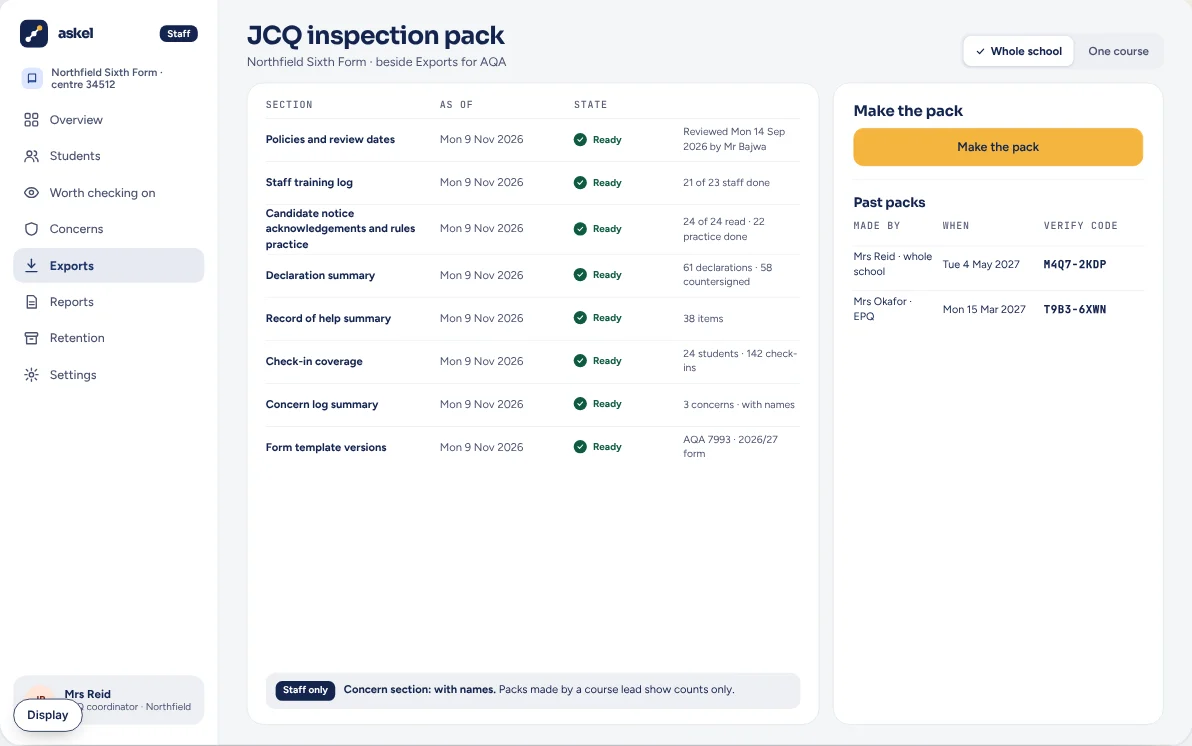
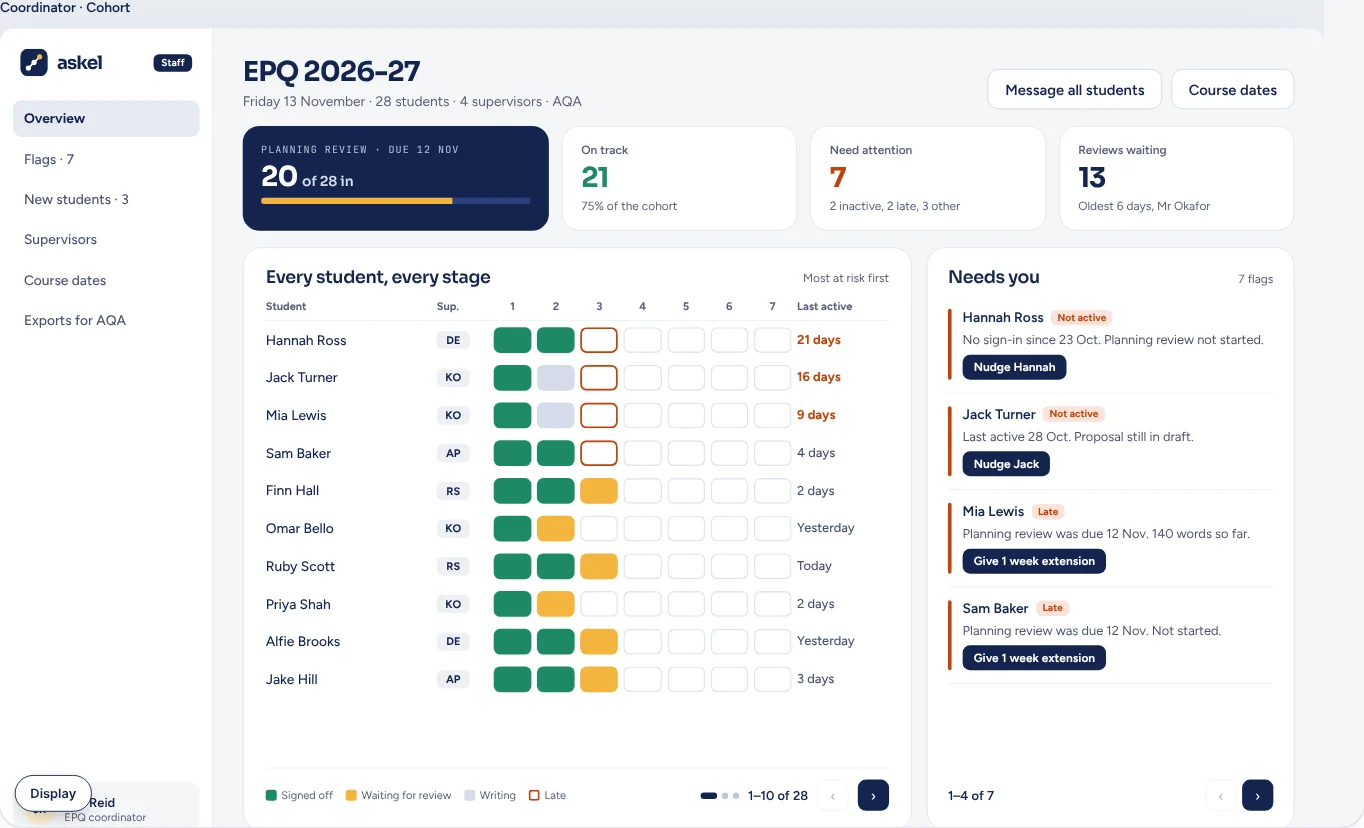
The EPQ diary, done properly. Files ready for the exam board.
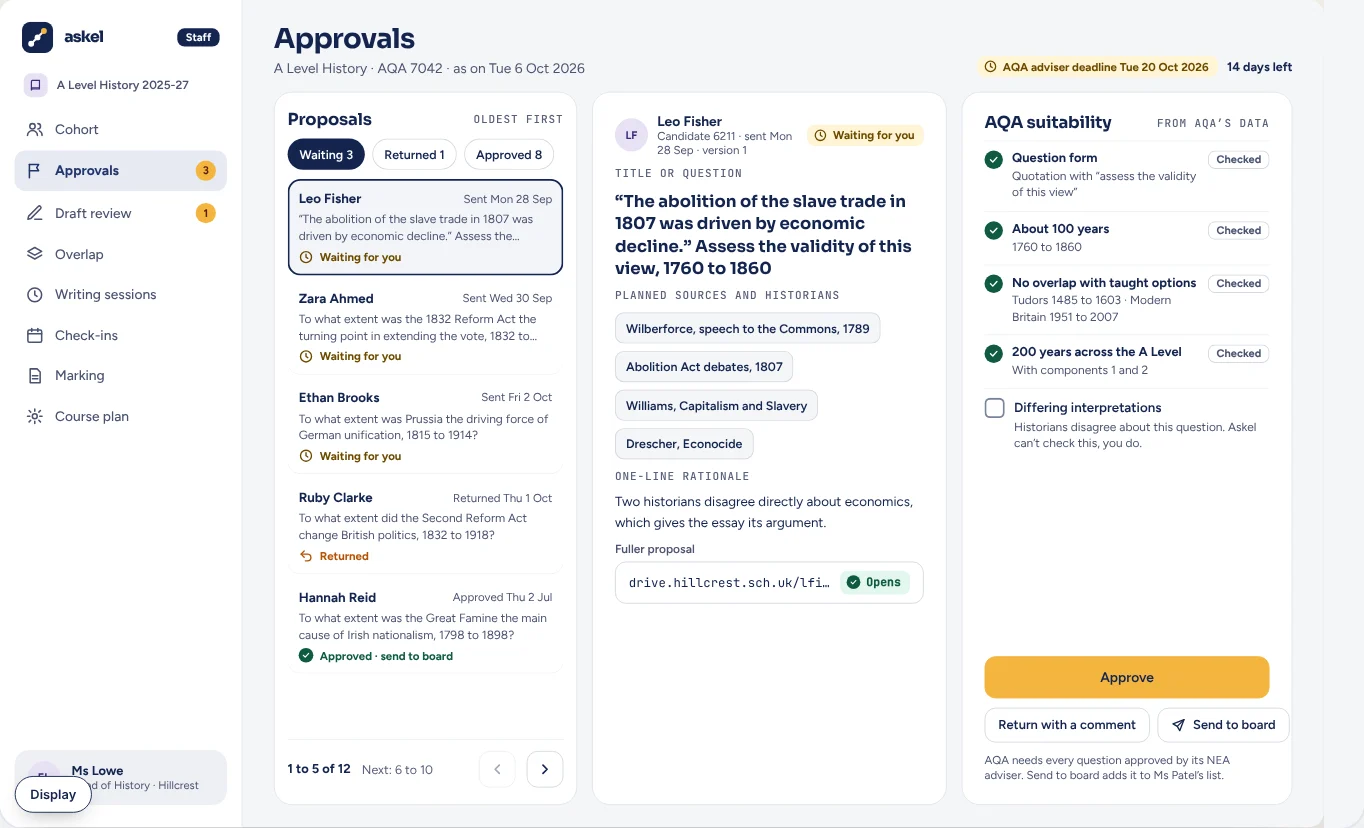
NEA (non-exam assessment) is coursework marked in school, then checked by the exam board.
A teacher can run a course on their own. You don’t need a coordinator.
Your school signs an agreement before any students are added.
By class code, a list or a spreadsheet.
After the pilot, you can bring students in from your school’s information system, through Wonde.
Students can change the text size, colours and font, and turn on a reading ruler. Designed to meet WCAG 2.2 AA, the accessibility standard the UK government requires for public sector websites and apps.
Most of it is choosing your exam board and your dates. Pilot schools get hands-on setup help from us.
By class code, a list or a spreadsheet. Your school signs an agreement first.
Yes. Staff and students sign in with their school Google or Microsoft account, or with a link sent by email.
There’s a short guide for each role. Pilot schools also get setup help and a direct line to the person who makes Askel.
Yes. Keep this year’s students where they are, and start your next cohort in Askel. We don’t import Project Q logs.
Founding schools get 50% off their first full year. If you stop, you can download your records first.
Kept in this browser only. No cookie, and it isn’t linked to you.